


Having a difficult time searching for items in your collection?
Has the browse got you down?
Well, have no fear, the all new NINJA View is here.
You can now do both in one section.

Filter on multiple categories. Use the country to narrow down your selection -as I have selected Canada and then chosen Warner to narrow down all the items available from Warner Bros. Canada.

Search on a key word string to find all possible matches (and filter if you want on a broader search).
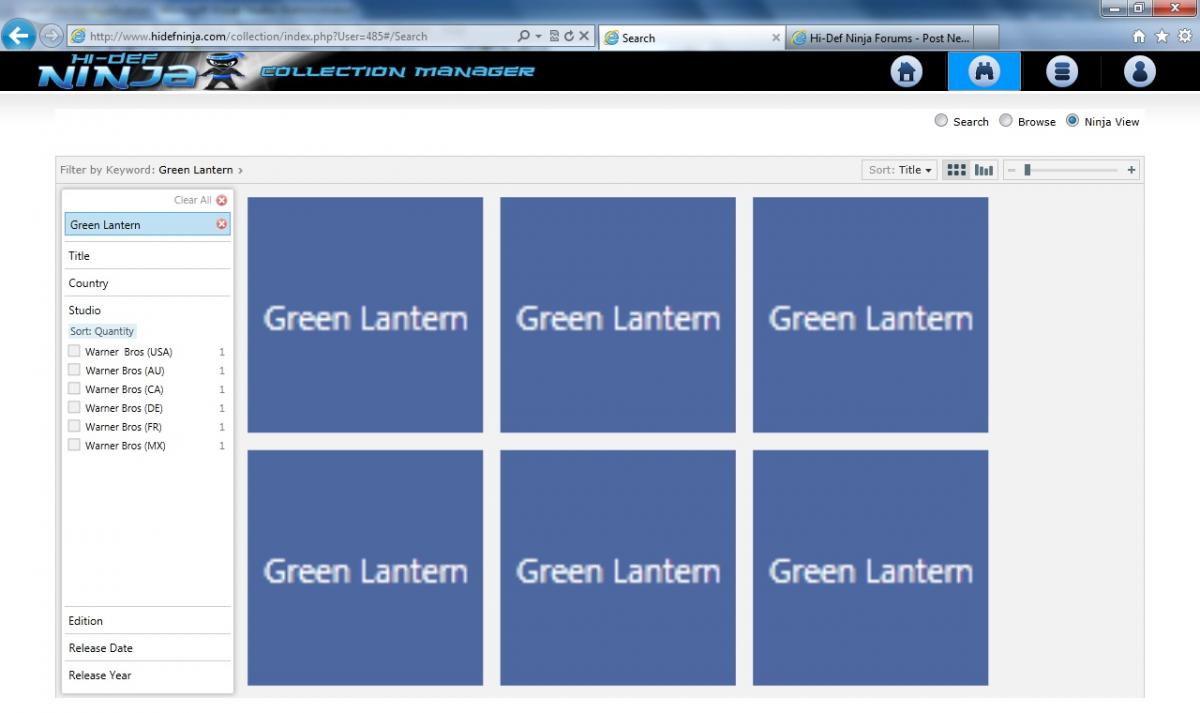
Click on any title to "zoom" in to see more information - including artwork, release details, and then add the item to your collection or wishlist.

Ready to check it out? Want to know how? Simple - it's already active and ready for your use. If you can't see the new options in the find section (find / browse / ninja view), please clear your internet browser cache and reload the collection manager.
All of us here at hidefninja hope you enjoy this new feature - just adding another way to find items for your collection - and to have fun doing it at the same time!

Has the browse got you down?
Well, have no fear, the all new NINJA View is here.
You can now do both in one section.
Filter on multiple categories. Use the country to narrow down your selection -as I have selected Canada and then chosen Warner to narrow down all the items available from Warner Bros. Canada.
Search on a key word string to find all possible matches (and filter if you want on a broader search).
Click on any title to "zoom" in to see more information - including artwork, release details, and then add the item to your collection or wishlist.
Ready to check it out? Want to know how? Simple - it's already active and ready for your use. If you can't see the new options in the find section (find / browse / ninja view), please clear your internet browser cache and reload the collection manager.
All of us here at hidefninja hope you enjoy this new feature - just adding another way to find items for your collection - and to have fun doing it at the same time!
Last edited:



 the Update.


