

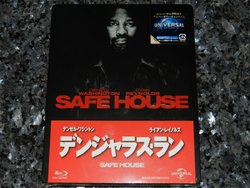
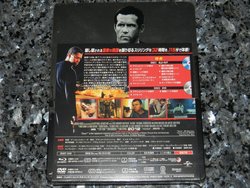
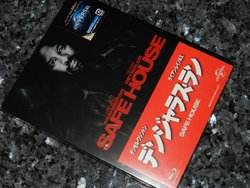
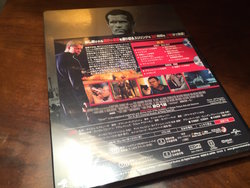
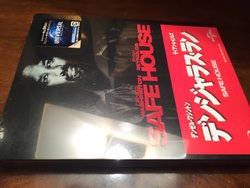
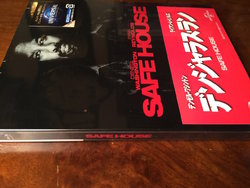
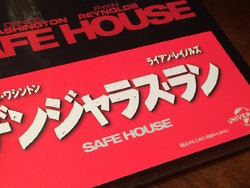
Safe House (Blu-ray SteelBook) (Amazon JP Exclusive) [Japan]
- Thread starter roseart
- Start date
You are using an out of date browser. It may not display this or other websites correctly.
You should upgrade or use an alternative browser.
You should upgrade or use an alternative browser.




the Slip is the same as PAUL & Snow White & Huntsman 
Chip has some or at least Had some 
runs about 1 third up the steel , I think its classed a Premium Japan , hence the price Tag ??
Chip has some
or at least Had some runs about 1 third up the steel , I think its classed a Premium Japan , hence the price Tag ??
I still can't figure out how to post pics on here.


Attachments
Last edited by a moderator:

I still can't figure out how to post pics on here.
Looks great

You can create a free acount on photobucket.com. Then upload them there and link to them here
Looks great
You can create a free acount on photobucket.com. Then upload them there and link to them here
I don't want to link them from there. I want a direct upload to this site.

I still can't figure out how to post pics on here.
Hey chip, it's quite straight forward once you've done it one or two times. If you edit your post and hit the 'Go Advanced' button it will then have a 'Manage Attachments' button if you scroll down a little bit.
When you click that button it brings up the pop up section which is the same as when you load your pics initially. On this pop up screen the pics you have uploaded will have a link to them at the bottom of the pop up (just under where it says Current Attachments). Click on the link and it should open up a separate tab with your image.
Copy the URL then return to the post which you are editing and look for the Insert Image icon which is the one that looks like a miniature postcard with mountains on it (next to the quote icon). Paste the URL in and hit ok, then voila... it should display your image in the body of your post in all it's glory. If not then you have done it wrong

That way you don't have to link from photobucket etc.


Thanks for that info. Didn't know the 'Manage Attachments' button existed.
I don't like Photobucket either as anyone can see and copy your photos. Putting them on the HDN server means you must be a HDN member to view them.
I don't like Photobucket either as anyone can see and copy your photos. Putting them on the HDN server means you must be a HDN member to view them.
Hey chip, it's quite straight forward once you've done it one or two times. If you edit your post and hit the 'Go Advanced' button it will then have a 'Manage Attachments' button if you scroll down a little bit.
When you click that button it brings up the pop up section which is the same as when you load your pics initially. On this pop up screen the pics you have uploaded will have a link to them at the bottom of the pop up (just under where it says Current Attachments). Click on the link and it should open up a separate tab with your image.
Copy the URL then return to the post which you are editing and look for the Insert Image icon which is the one that looks like a miniature postcard with mountains on it (next to the quote icon). Paste the URL in and hit ok, then voila... it should display your image in the body of your post in all it's glory. If not then you have done it wrong
That way you don't have to link from photobucket etc.


Tempted to add this one to my Amazon.JP order. But it's pricey not sure if it's worth, thoughts?
Last edited:


Similar threads

- Replies
- 1
- Views
- 177

- Replies
- 0
- Views
- 144

- Replies
- 18
- Views
- 2K

- Replies
- 24
- Views
- 2K