How Many SteelBooks Do You Own? Post pics of collection / last acquired!

How Many Steelbooks Do You Own?

  • 0-50

    Votes: 231 11.9%
  • 50-100

    Votes: 550 28.4%
  • 100-200

    Votes: 429 22.2%
  • 200-300

    Votes: 241 12.4%
  • 300-500

    Votes: 169 8.7%
  • 500-1000

    Votes: 138 7.1%
  • 1000-1500

    Votes: 82 4.2%
  • 1500-2000

    Votes: 47 2.4%
  • 2000+

    Votes: 49 2.5%

  • Total voters
    1,936
Jan 30, 2009
1,563
England
This particular thread is to showcase new and recent additions to your collection and showcasing your entire collection.

In order to allow for smooth scrolling and loading, on multiple types of devices, we're asking our community to work with us to do the following:
1. Please try and resize your pictures prior to posting them as it helps the loading times for you and your fellow collectors.
2. You might want to consider posting your pics in the dedicated media section found HERE where you will be able to take advantage of the amount of filters, resizing, and other features if you use that interface.
3. Please use spoiler tags when posting more than one picture of the same steelbook.
4. If you receive more than one steelbook, please take a group shot, not a picture from every single steel.
5. If you receive more than a single copy of one steel, post pictures of a SINGLE copy please. If they are for a group buy, then those pictures should be posted in the group buy thread and NOT in this thread.
6. If you wish to show multiple steelbooks from different angles, please use spoiler tags.

Note:
This thread is for your last movie SteelBook. If it's another kind please use the proper thread below:
Last Viva Metal Box You Purchased?
Last Ironpack/MetalPak/Tin You Purchased?
Last Video game SteelBook Acquired?
Last Blu-ray Special Edition Purchased?
 

Attachments
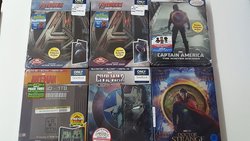
  • 20170421_140027.jpg
    20170421_140027.jpg
    104.3 KB · Views: 112,036
Last edited by a moderator:
004hfr.jpg


Received a few packages in the mail today! Special thanks to ran94 (Cowboys & Aliens, Sleeping Beauty), shonuff6 (Beauty and the Beast Steel + Blu-Ray, Predators), and munstarz40 (Iron Man 2 Korea).

I now have all the Disney steels, except for The Princess and the Frog which I had no interest in until I saw Holly Go's pics (thanks for posting em'!!). Also, Cowboys and Aliens from HMV has stolen my heart. Haven't seen the film, but I LOVE that steel.
 
This is my first attempt at submitting a picture. If anyones got any suggestion on how to get the full pictures instead of the thumbnails, I'm all ears. I don't want my first post to be my prime steels, so I'm open to all suggestions.
 

Attachments

  • re.jpg
    re.jpg
    97.1 KB · Views: 84
This is my first attempt at submitting a picture. If anyones got any suggestion on how to get the full pictures instead of the thumbnails, I'm all ears. I don't want my first post to be my prime steels, so I'm open to all suggestions.

Do everything that you just did but take it one extra step. In the attachment console after you have uploaded your picture and you see it listed, right click the file name and Copy Image Location. Now go into your edit box and click the little yellow box with the mountain top which is your insert image button and paste that link into there and click OK and you should be all set.

Cheers...
 
This is my first attempt at submitting a picture. If anyones got any suggestion on how to get the full pictures instead of the thumbnails, I'm all ears. I don't want my first post to be my prime steels, so I'm open to all suggestions.

I am also a NEWB so I have been using Photobucket to post my full sized pics. Just upload and copy link and paste in your thread. Just another option.
 
  • Like
Reactions: popculturefanatic
Heres a video of some pick ups i made today... Cheers guys.

http://www.youtube.com/watch?v=nr57t8IPRbs

Wow! You are going places with your collection, mate!

---------- Post added at 12:36 PM ---------- Previous post was at 12:25 PM ----------

Hi all, I have been collecting steel for over a year now, never posted here, thought I should now, and decided to post this, though I didn’t get this today (but 8-9 days ago). But oh well, just wanted to start with something I was thrilled to get my hands on!

<a href="http://s1265.photobucket.com/albums/jj518/aprilarrow/Steelbooks/?action=view&amp;current=LetTheBulletsFlySteelbook.jpg" target="_blank"><img src="http://i1265.photobucket.com/albums/jj518/aprilarrow/Steelbooks/LetTheBulletsFlySteelbook.jpg" border="0" alt="Photobucket"></a>
 
Last edited by a moderator:
Do everything that you just did but take it one extra step. In the attachment console after you have uploaded your picture and you see it listed, right click the file name and Copy Image Location. Now go into your edit box and click the little yellow box with the mountain top which is your insert image button and paste that link into there and click OK and you should be all set.

Cheers...

All right. I'll tinker with it. I got alot of pictures to take first lol.
 
  • Like
Reactions: popculturefanatic
One more...

<a href="http://s1265.photobucket.com/albums/jj518/aprilarrow/Steelbooks/?action=view&amp;current=TransporterTrilogyFNAC.jpg" target="_blank"><img src="http://i1265.photobucket.com/albums/jj518/aprilarrow/Steelbooks/TransporterTrilogyFNAC.jpg" border="0" alt="Photobucket"></a>

---------- Post added at 01:40 PM ---------- Previous post was at 01:40 PM ----------

And FM, just for you!

<a href="http://s1265.photobucket.com/albums/jj518/aprilarrow/Steelbooks/?action=view&amp;current=MinorityReportCN.jpg" target="_blank"><img src="http://i1265.photobucket.com/albums/jj518/aprilarrow/Steelbooks/MinorityReportCN.jpg" border="0" alt="Photobucket"></a>
 
Do everything that you just did but take it one extra step. In the attachment console after you have uploaded your picture and you see it listed, right click the file name and Copy Image Location. Now go into your edit box and click the little yellow box with the mountain top which is your insert image button and paste that link into there and click OK and you should be all set.

Cheers...

OK, heres what I did step by step.

- hit the post a reply button on this thread
- clicked the paperclip "attachments" button
- click "upload files from your computer"
- clicked on the image I want to upload.
- click the upload button
- under the "current attachments" I right clicked and selected copy link location
- click that yellow mountain button, which then asks "please enter the URL of your image". Then I'm stuck. Where did I go wrong?

I notice you said "copy image location" and not "copy link location". But I don't see copy image location as an option when I right clicked on the jpg in the current attachments section
 
Last edited:
OK, heres what I did step by step.

- hit the post a reply button on this thread
- clicked the paperclip "attachments" button
- click "upload files from your computer"
- clicked on the image I want to upload.
- click the upload button
- under the "current attachments" I right clicked and selected copy link location
- click that yellow mountain button, which then asks "please enter the URL of your image". Then I'm stuck. Where did I go wrong?

I notice you said "copy image location" and not "copy link location". But I don't see copy image location as an option when I right clicked on the jpg in the current attachments section

When you open your uploaded image right click on it, then properties then copy the address, paste it in the mountain box and your all set :oohyeah:
 
Hey Marty, looks like you're struggling with the Youtube video insertion like I did last week. Its simple, just write the link in without any tags at all. The forum is coded to do everything else for you.

Hope that helps

Cheers

Nick
 
  • Like
Reactions: Marty mcfly