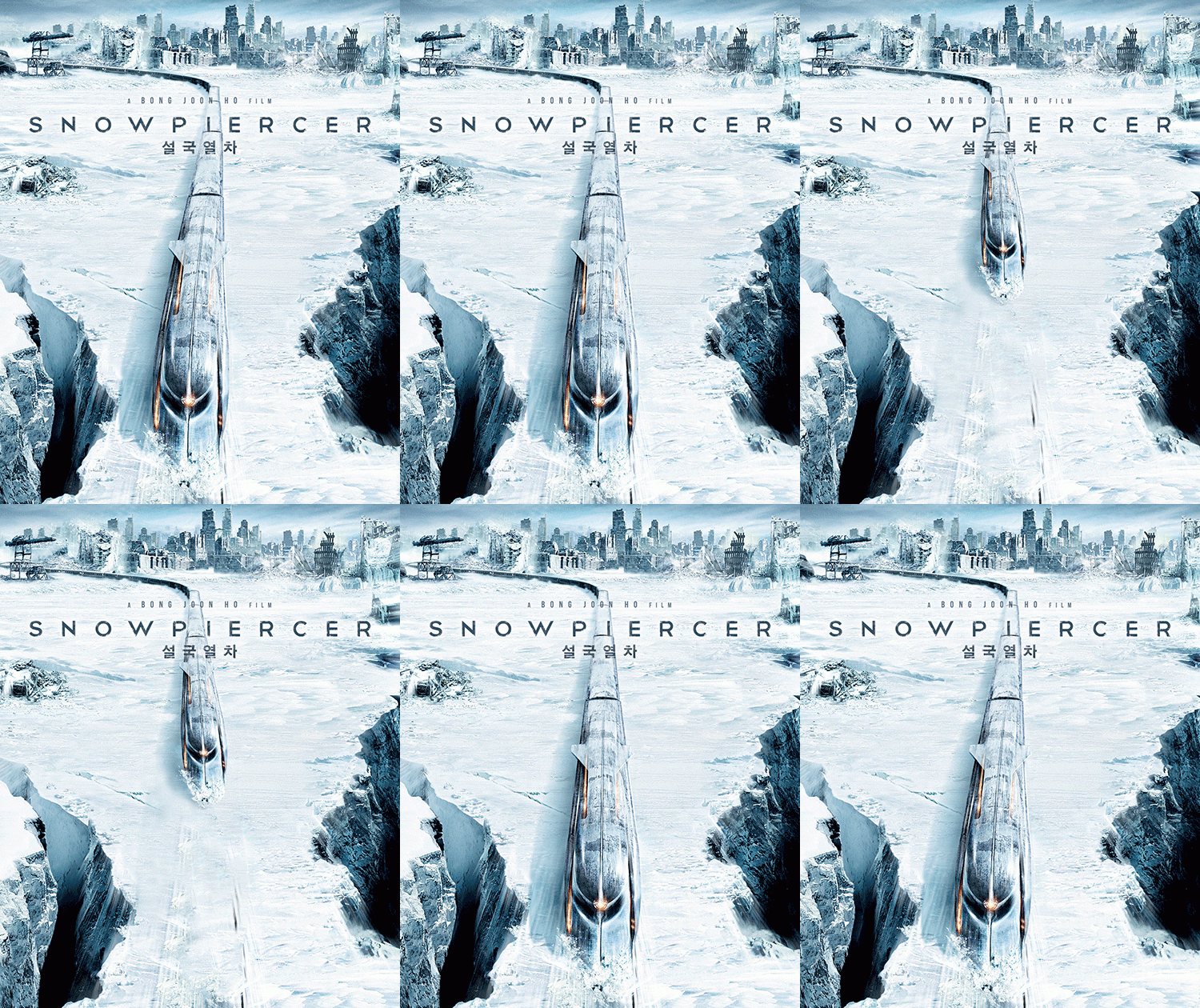
Snowpiercer (Blu-ray SteelBook) (Kimchidvd Exclusive #16) [Korea]

Choi Chungkwon

Premium Supporter
Jan 28, 2013
1,726
South Korea
Release date: July 27th, 2014
Price: See individual buy links
Subtitles: Korean/English

Buy links: All Sold-Out
Type A - Art Book Limited Edition Package -delayed 'til Aug'14
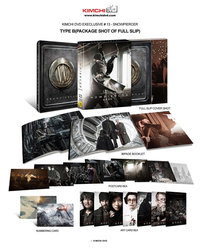
Type B - Full Slip Box Edition
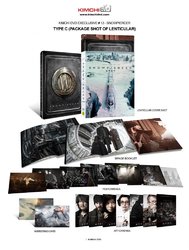
Type C - Lenticular Slip Cover Edition

List of Kimchidvd Exclusive SteelBook Editions

Total Print run, artwork and package information:
Type A - Art Book limited edition package - 666 copies
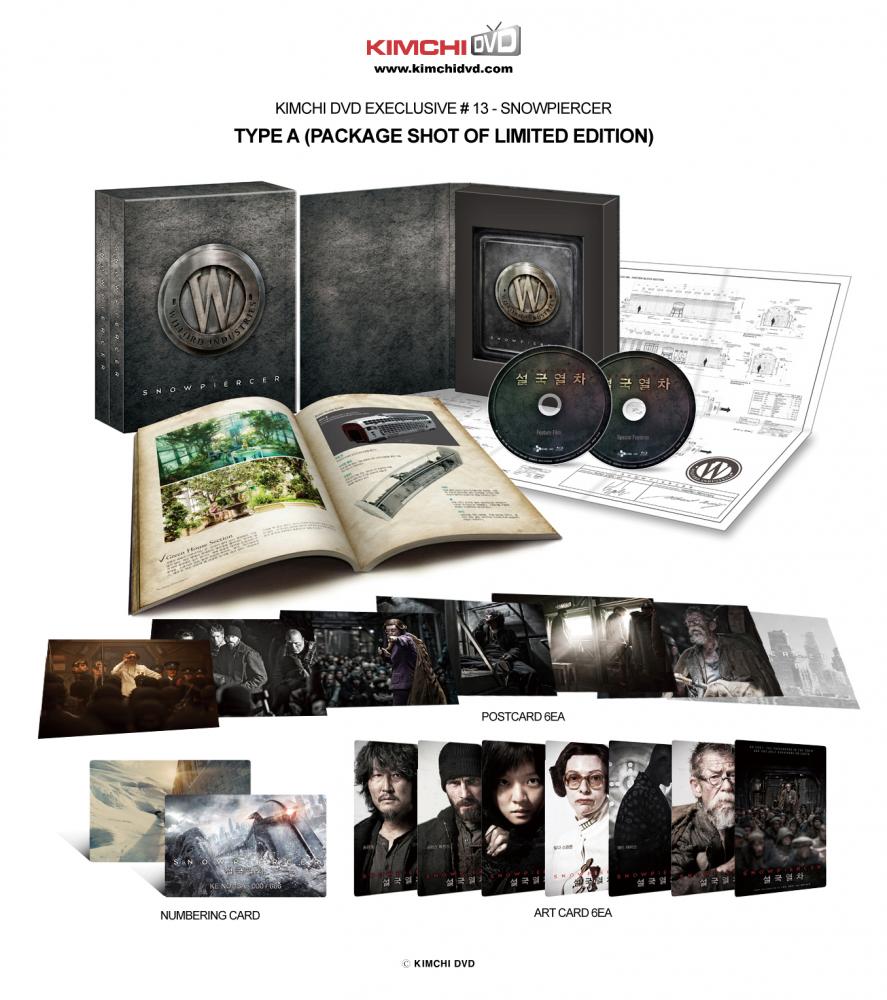
a-_-jpg.71600

Type B - Full Slip Box edition package - 666 copies
[Note: full slip edition is approved by director Bong joon-ho]
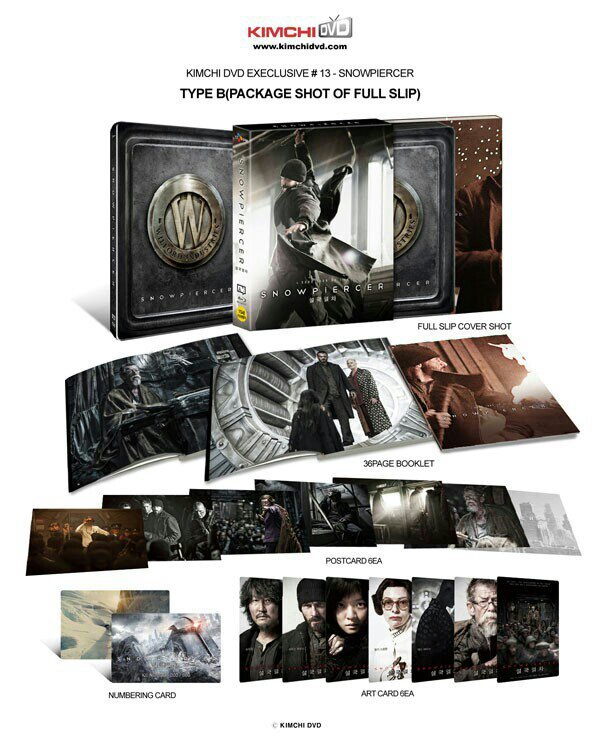
e8esy3e4.jpg
Type C - Lenticular Slip Cover edition package - 666 copies
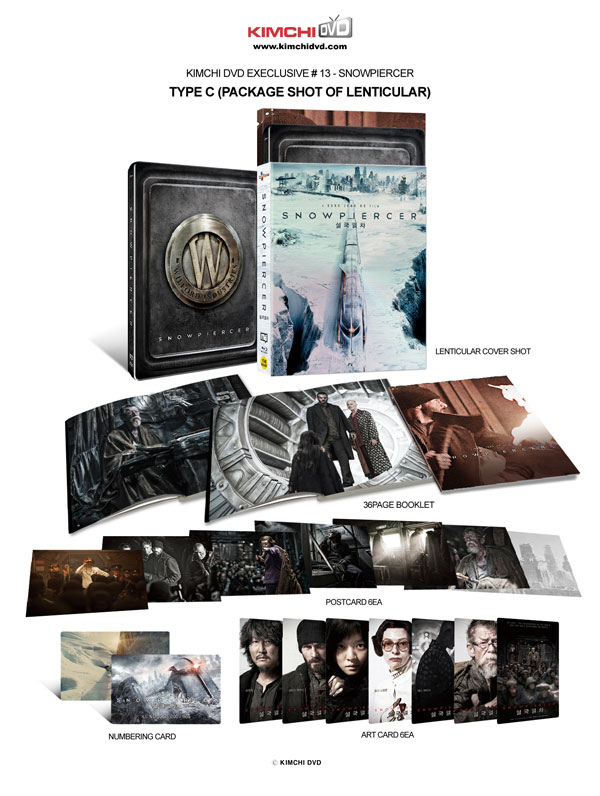
Snowpiercer Lentic Pack.jpg


1401727940643478.gif
<Lenticular effect>
99dzzb.gif
Old info:
Pre-order date: June 3rd, 2014 14:00 PM (as Korea time)
[Time Table]
Vancouver (Canada - British Columbia) Monday, 2 June 2014, 22:00:00 PDT UTC-7 hours
New York (U.S.A. - New York) Tuesday, 3 June 2014, 01:00:00 EDT UTC-4 hours
London (United Kingdom - England) Tuesday, 3 June 2014, 06:00:00 BST UTC+1 hour
Paris (France) Tuesday, 3 June 2014, 07:00:00 CEST UTC+2 hours
Corresponding UTC (GMT) Tuesday, 3 June 2014, 05:00:00
 

Attachments
  • ????A??_??????.jpg
    ????A??_??????.jpg
    113.5 KB · Views: 14,158
  • ????C??_??????.jpg
    ????C??_??????.jpg
    100 KB · Views: 1,959
  • Snowpiercer Full Slip pack.jpg
    Snowpiercer Full Slip pack.jpg
    95.5 KB · Views: 10,831
  • thumb.jpg
    thumb.jpg
    23.4 KB · Views: 942
Last edited by a moderator:
you got it working on a Samsung player?
Could you tell me what model nos? Mines like a smart 3D one and I couldn't get it working, but I have a gut feeling it may be dud disc's on my end (though I'm not wanting to open the full slip version too in order too check)

I'm afraid it was my parents player and was the first time I'd ever used it so was unfamiliar with how it "should" work.
When the disc was in the player, pressing enter on the play disc icon did nothing but when I pressed the menu button or it may have been menu then a number (2 or 1) it went to the snowpiercer menu.
I'm going over to watch it when they're on holiday next weekend, I could note down exactly the model no. and what I did then if you like.
 
I'm afraid it was my parents player and was the first time I'd ever used it so was unfamiliar with how it "should" work.
When the disc was in the player, pressing enter on the play disc icon did nothing but when I pressed the menu button or it may have been menu then a number (2 or 1) it went to the snowpiercer menu.
I'm going over to watch it when they're on holiday next weekend, I could note down exactly the model no. and what I did then if you like.
Did the player have a menu though? Mine does, then when I select too the play disc it tries" then no matter what I try, it fails and goes back too the player menu
If it's not too much trouble I'd appreciate you letting me know the model nos you got yours working on as it would help me get closer to figureing out if I DO happen to have dud discs or not.
Thanks.
 
Any news from Kimchi about this debacle?
Can I make a suggestion? :D
How about Kimchi supplying region free replacement discs. They could be in a nice Kimchi sleeve/envelope.
I would be willing to pay $10 including postage for them. Obviously they must be offered first to those that ordered direct from Kimchi, quoting their order number etc.
Go on then, somebody start ripping my idea apart. :ohno:
 
Good idea if KimchiDVD were at fault.
But it does say Region A on the webpage of each product

So what would Amazon do if they sold a product that information on was deliberately withheld and then wrongly printed on the box?
Sit there saying "blame the publisher"?
 
  • Like
Reactions: rover
So what would Amazon do if they sold a product that information on was deliberately withheld and then wrongly printed on the box?
Sit there saying "blame the publisher"?
Chances are that if I asked Amazon US why half of their steelbooks are labelled Region A, despite being Region Free, their response would be "blame the publishers".
KimchiDVD have always advertised this product as Region A on their website (as far as I know).
If you can prove otherwise, I'm right behind you in getting my refund/replacement.
Edit: I think it's a bit unfair to compare Amazon to Kimchi due to the respective size of both companies.

Rover
 
Last edited:
  • Like
Reactions: Thelite13
One different I did notice when watching the Kimchi version of Snowpiercer from my French one is that the french cut opens with an animated montage of what brought the world to be covered in snow. The korean bluray disc does not have that and goes straight into the movie. Kinda sad really cuz I thought that was very well done.
 
One different I did notice when watching the Kimchi version of Snowpiercer from my French one is that the french cut opens with an animated montage of what brought the world to be covered in snow. The korean bluray disc does not have that and goes straight into the movie. Kinda sad really cuz I thought that was very well done.
Is it just under five minutes, comprised of fly-throughs of 3D "still" scenes? If so, it's the sixth extra on disc two. I thought it was a storyboard/pre-vis feature at first.
Narration is in Korean, with the minimal background audio in English; no English subs and no other audio options.
 
Did the player have a menu though? Mine does, then when I select too the play disc it tries" then no matter what I try, it fails and goes back too the player menu
If it's not too much trouble I'd appreciate you letting me know the model nos you got yours working on as it would help me get closer to figureing out if I DO happen to have dud discs or not.
Thanks.

Saw it today on my parents Samsung BD C5900 3D blu-ray player. On the menu you had an option of disc - music - internet etc. I simply scrolled to the disc icon and pressed "Menu" and up came the Snowpiercer disc menu.
Sorry it's not more info but it was as simple as that. There is a small chance (as they bought the player from Ebay) that it's been chipped but I seriously doubt it as they are fast approaching there 70's and not very techincally savy.
 
  • Like
  • Informative
Reactions: yeslek and harry
By the way, the encode (or whatever you call it) on this blu-ray sucks. Since there are a lot of dark scenes, there's a ton of noise. I'm not a massive videophile, but if I'm noticing it, it's bad.

One scene in particular: towards the end when Nam and Curtis are talking by the narrow bridge, they did some sort of post enhancement and lightened up his face. The noise in that scene is horrible.

Hoping this isn't an inherent issue and it will be fixed for the North American release.
 
Saw it today on my parents Samsung BD C5900 3D blu-ray player. On the menu you had an option of disc - music - internet etc. I simply scrolled to the disc icon and pressed "Menu" and up came the Snowpiercer disc menu.
Sorry it's not more info but it was as simple as that. There is a small chance (as they bought the player from Ebay) that it's been chipped but I seriously doubt it as they are fast approaching there 70's and not very techincally savy.
yeah that helped loads but still cant get the discs too play - its the same series as the one you got it working on, but when I select the disc icon and hit menu it just refreshes the screen with a 'stop' icon in the top corner as if I'd hit stop :(

I'm super convinced I've got dud discs now :(
 
Last edited:
yeah that helped loads but still cant get the discs too play - its the same series as the one you got it working on, but when I select the disc icon and hit menu it just refreshes the screen with a 'stop' icon in the top corner as if I'd hit stop :(

I'm super convinced I've got dude discs now :(

It's region A LOCKED and that is a fact.
 
By the way, the encode (or whatever you call it) on this blu-ray sucks. Since there are a lot of dark scenes, there's a ton of noise. I'm not a massive videophile, but if I'm noticing it, it's bad.

One scene in particular: towards the end when Nam and Curtis are talking by the narrow bridge, they did some sort of post enhancement and lightened up his face. The noise in that scene is horrible.

Hoping this isn't an inherent issue and it will be fixed for the North American release.
Is it the encode or down to the filming style? As an eagle eyed viewer these things bother me a lot, especially when watching these on my PJ screen.

This reminds me of The Drive where the Sony encode was a lot better than the UK one.